
Modern websites must do more than display information to capture attention in competitive digital spaces. Audiences now expect experiences that feel dynamic from the moment they arrive. As static pages struggle to hold visitor interest, businesses benefit from creating websites that encourage exploration and active participation.
Engaging design changes passive browsing into memorable user experiences. Interactive maps and scroll-based storytelling encourage visitors to engage with content while reinforcing a brand’s message. As a result, businesses can create more opportunities to convert visitors into customers
Immersive elements encourage visitors to spend more time exploring a website by transforming passive browsing into active participation. In fact, research shows that 80% of website visitors prefer watching video content, which shows the growing demand for engaging visual experiences. Interactive elements capture attention more effectively while making information easier to understand.
Greater engagement also builds trust by demonstrating a brand’s value through useful, intuitive experiences. Visitors who interact with relevant content are more likely to remember the brand, which can lead to stronger conversion rates. However, every engaging feature should support a clear business objective and improve the user experience rather than serve as a visual distraction.
Engaging product configurators allow visitors to personalize products by selecting colors and other specifications in real time. This level of customization creates a more engaging shopping experience, which is important as around 73% of consumers say experience influences their purchasing decisions. Live previews further strengthen purchase confidence by showing exactly how the finished product will look and reducing uncertainty before ordering.
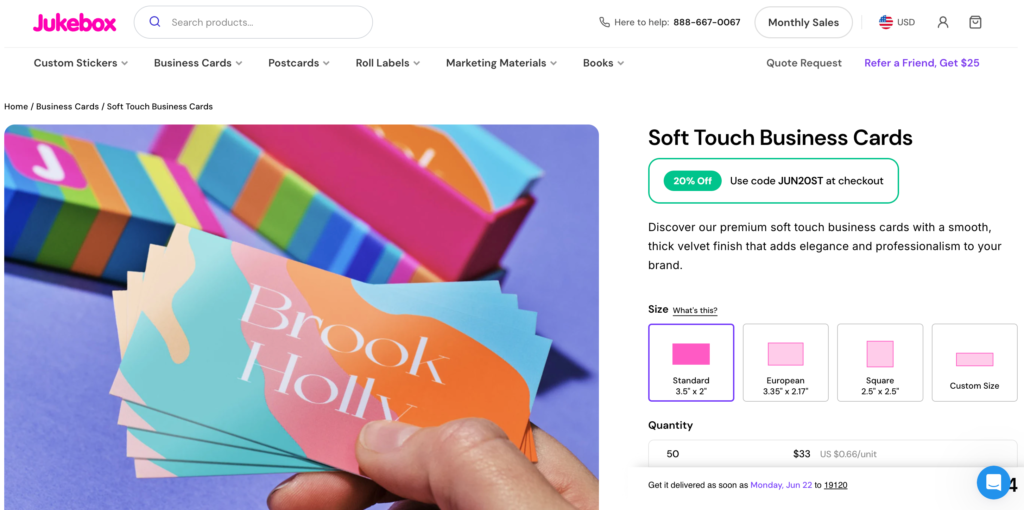
The company Jukebox demonstrates this approach through its interactive design interface for business cards, postcards and other printed marketing materials. Customers can customize paper stocks and specialty printing options while previewing their selections before placing an order. The ability to visualize the final product helps customers make informed decisions and creates a more enjoyable buying experience.
Immersive maps make it easier for customers to find physical stores, service areas and event locations without leaving a website. Unlike written directions, they provide clickable locations and nearby landmarks, simplifying navigation and helping visitors plan their trips more efficiently. These features reduce customer friction while supporting local search engine optimization by reinforcing location relevance and encouraging more in-person visits.
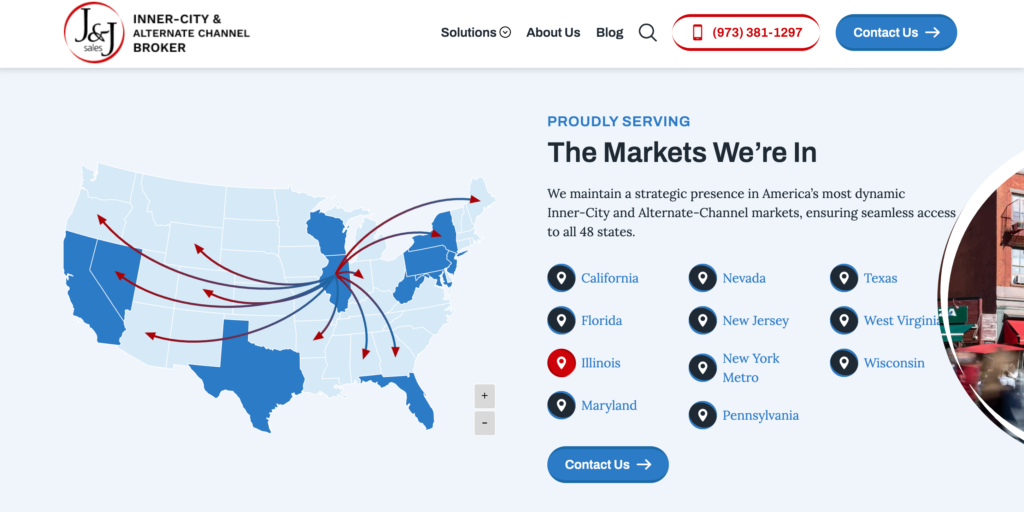
For instance, J&J Sales uses an interactive map to help visitors quickly locate its showroom and connect with the business. Customers can access turn-by-turn directions and view contact information from a single interface, so that they can plan a visit or reach out with questions. Streamlining the path from online search to in-person interaction creates a more convenient and user-friendly experience.
Animations and transitions guide visitors through a website one section at a time to create a more engaging storytelling experience. This approach resonates with users — 69% of people believe microinteractions improve the overall user experience by making websites feel more intuitive. Scroll-driven narratives can showcase a company’s brand story in a logical sequence. However, businesses should balance these visual elements with fast loading speeds to ensure every visitor enjoys a seamless experience.
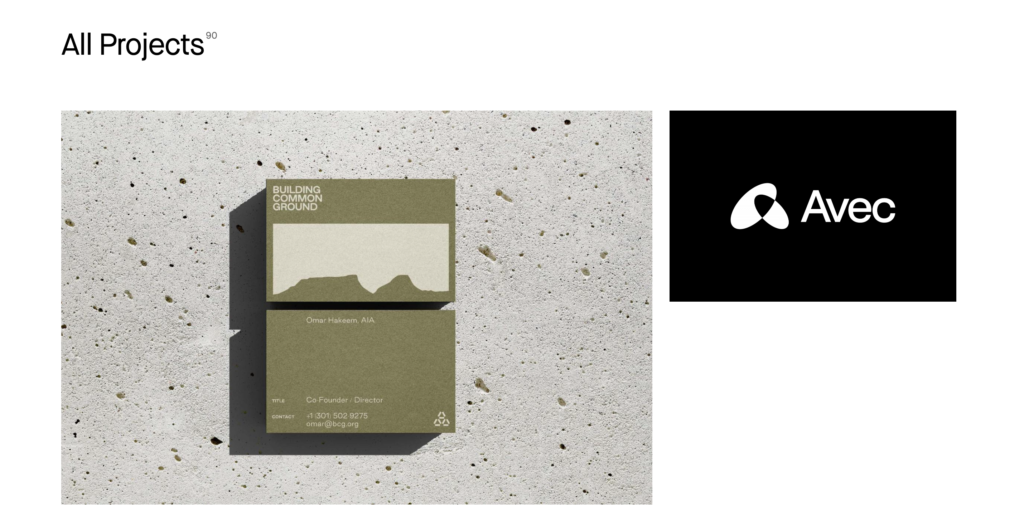
The company Studio Mast demonstrates this approach through its Projects page, where large visuals and sequential project content unfold as visitors scroll. Rather than presenting every project at once, the website gradually reveals each case study to maintain user interest. This thoughtful progression highlights the studio’s creative expertise while making its portfolio easier to navigate.
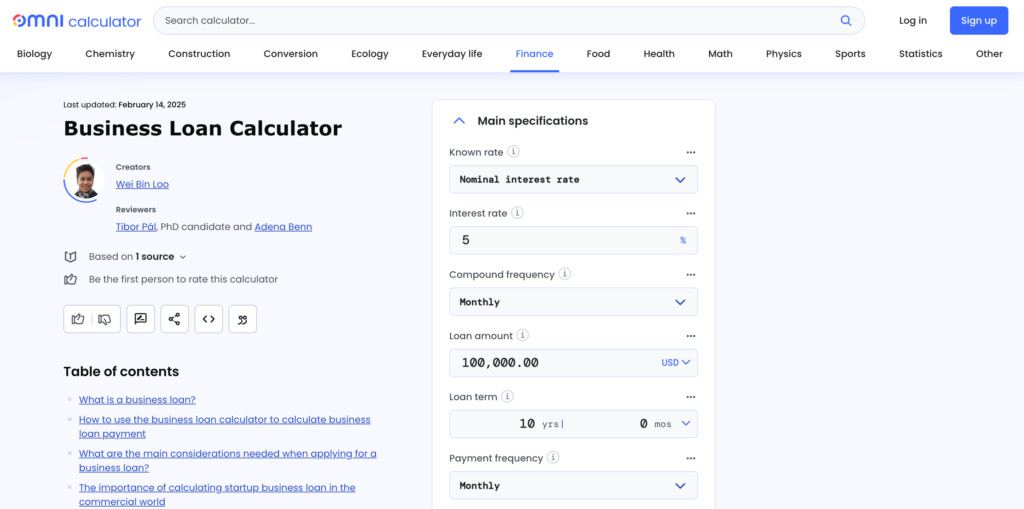
Quizzes and calculators deliver personalized recommendations by tailoring results to each visitor’s responses. In fact, around 72% of consumers engage only with personalized messaging from brands. Beyond increasing engagement, these tools help businesses collect first-party insights while generating qualified leads through downloadable reports.
Omni Calculator, for example, demonstrates the effectiveness of this approach by offering interactive calculators that generate personalized results instantly from user input. Visitors receive immediate answers to complex questions, which makes information easier to understand and apply. Businesses can adopt similar assessment tools to simplify purchasing decisions and encourage users to explore their websites while moving closer to a conversion.
Engaging features deliver the greatest value when they enhance the user experience. Following proven implementation practices helps businesses create engaging websites that remain fast and aligned with their marketing objectives.
Meaningful interactivity changes websites from static information pages into engaging digital experiences that encourage visitors to take action. Businesses achieve the best results by selecting immersive features that solve customer problems while supporting broader marketing objectives. When implemented thoughtfully, these experiences strengthen brand recognition and drive higher long-term conversion rates.
Sign up to receive each new helpful article straight to your inbox!

What Responsible Businesses Do Differently
Find out more about what responsibly businesses do differently so you can do the same.
Replace Add to Cart with Custom Button Based on User Role
This article walks you through how replacing the Add to Cart button based on user roles changes everything. Not just visually, but strategically.

Increase Product Visibility and Click-Through Rate with Attractive Stickers
Stickers, badges, ribbons and labels are not just decoration. They are signals. Quick. Sharp. Effective.
We’d love to hear what you’re hoping to achieve from your project and any questions that you may have.
Taking the stress out of websites and video content so that you can focus on growing your business.