

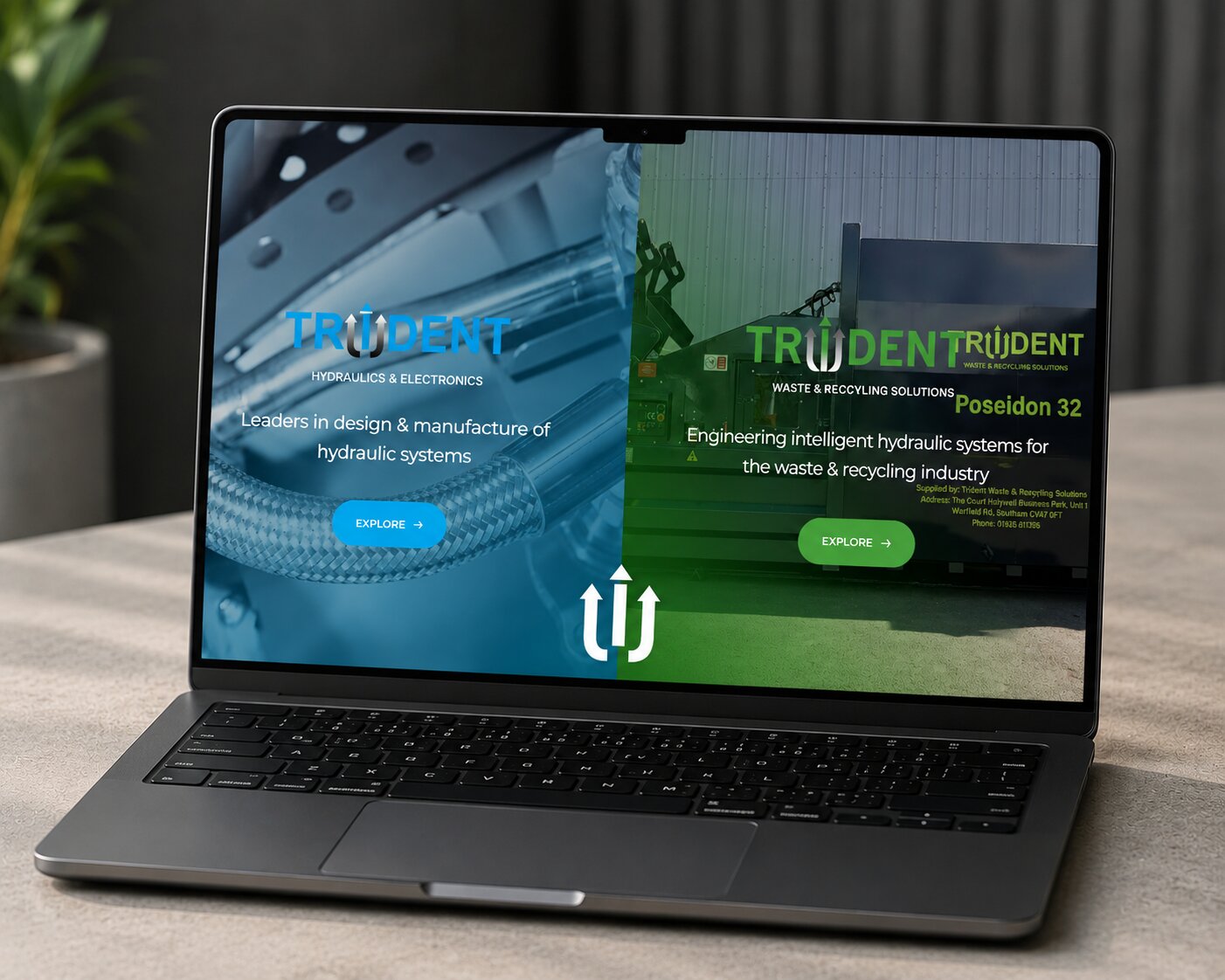
A website redesign is the process of significantly updating an existing website to improve areas such as its appearance, user experience, structure, content, functionality and performance.
The scale of a redesign can vary considerably.
For one business, it might involve retaining the existing WordPress website while creating a completely new design around its content. Another business may need to rebuild the website from the ground up, change content management systems or restructure hundreds of existing pages.
A redesign might involve:
Creating a new visual design
Improving mobile responsiveness
Simplifying website navigation
Updating old content
Improving calls to action
Increasing website speed
Rebuilding page layouts
Adding new functionality
Improving accessibility
Restructuring services
Improving search engine optimisation
Integrating third-party software
Moving to a new CMS
Improving website security
Introducing ecommerce functionality
The important distinction is that a successful website redesign should have a purpose.
Changing your website simply because you are bored with the current design isn’t necessarily a good investment. Instead, the redesign should address identifiable problems and support your wider business objectives.
Not every older website needs to be replaced.
If your existing website loads quickly, generates enquiries, represents your brand accurately and provides visitors with a good experience, redesigning it simply to follow the latest design trend may achieve very little.
On the other hand, there are some clear signs that it may be time for a change.
First impressions matter online.
A website that looks considerably older than those of your competitors can influence how visitors perceive your business before they have even read about your services.
Outdated websites commonly feature cramped layouts, small typography, old-fashioned buttons, excessive text, low-quality imagery or designs that were created primarily for desktop screens.
Modernising these elements can make your business feel considerably more current without abandoning the identity customers already recognise.
Your website shouldn’t simply fit onto a smartphone screen.
Navigation, buttons, forms, text, images and interactive elements should all be designed to work comfortably on smaller devices.
If visitors have to zoom, scroll horizontally or carefully tap tiny links, the website is creating unnecessary friction.
Responsive design should therefore be a fundamental consideration during any redesign.
An effective business website shouldn’t require a developer every time you need to change a sentence or upload an image.
Older websites can sometimes be built on restrictive systems that make even relatively simple updates unnecessarily complicated.
Moving to a flexible content management system such as WordPress can give your team considerably more control over day-to-day website management.
Your website should represent the business you operate today rather than the business you were five years ago.
Perhaps you have:
Introduced new services
Entered new markets
Changed your branding
Expanded your team
Opened another location
Changed your target audience
Started selling online
Changed how customers contact you
Trying to squeeze a substantially different business into an old website structure can eventually become more difficult than redesigning it properly.
Traffic alone doesn’t make a website successful.
If people are finding your website but rarely contacting you, requesting quotes, purchasing products or completing other important actions, the user journey deserves closer examination.
There may be no obvious next step. Your calls to action could be poorly positioned. Important information might be difficult to find. Your forms might ask for too much information.
A redesign provides an opportunity to examine the entire journey from landing page to conversion.

One of the easiest mistakes to make is beginning a website redesign by discussing colours, fonts and animations.
Those things matter, but they shouldn’t be the starting point.
First ask:
What does the new website actually need to achieve?
For a Warwickshire professional services business, the main objective might be generating qualified enquiries.
An ecommerce business may want to increase online sales.
A manufacturer might need to communicate complex capabilities more clearly while generating B2B leads.
A charity may prioritise donations, volunteering and communicating its impact.
These goals influence virtually every decision that follows.
Before starting your redesign, identify a small number of measurable priorities.
These could include:
Increasing website enquiries
Increasing ecommerce conversion rates
Generating more organic traffic
Improving mobile usability
Reducing page loading times
Making content easier to update
Improving recruitment
Increasing bookings
Better showcasing previous work
Supporting expansion into new locations
Once you know what success looks like, you can make design decisions around those objectives.
A redesign doesn’t mean everything about your existing website is bad.
In fact, blindly deleting your existing website can be one of the biggest mistakes you make.
Before redesigning anything, review your existing website data.
Look at:
Your most visited pages
Pages generating enquiries
Organic search landing pages
Popular blog posts
Pages receiving backlinks
Conversion rates
Mobile versus desktop traffic
User journeys
Search queries
Bounce and engagement metrics
This helps identify content that should be retained or improved rather than discarded.
For example, imagine one of your service pages has been generating enquiries and ranking strongly in Google for several years. Removing that page because it doesn’t fit neatly into the new navigation could unnecessarily sacrifice valuable search visibility.
Redesign around what works rather than starting from zero.
A redesign is an excellent opportunity to rethink your website architecture.
Over time, business websites tend to accumulate pages.
New services are added. Blog posts are published. Campaign landing pages appear. Team pages change. Old products disappear.
Eventually, the structure can become difficult for both users and search engines to navigate.
Before designing individual pages, map out the new website.
A typical Warwickshire service business might use a structure such as:
Home → Services → Individual Service Pages → Case Studies → About → Blog → Contact
However, there is no universal structure.
The right architecture depends on your services, customers and SEO strategy.
Your most commercially important pages should be easy to reach. Visitors shouldn’t have to navigate through five menus to find your core service.
This is particularly important for businesses that rely on customers from specific parts of Warwickshire.
If your company serves Leamington Spa, Warwick, Kenilworth, Southam or other nearby locations, your new website should make that geographical relevance clear where it is genuinely applicable.
That doesn’t mean putting “Warwickshire” into every paragraph.
Instead, build genuine local relevance.
You might include:
Areas you genuinely serve
Locally relevant case studies
Customer testimonials
Location-specific service information
Accurate business contact information
Local photographs
Relevant location landing pages
Internal links between local content
Google Business Profile information
For example, I’m based in Leamington Spa and provide web design in Leamington Spa for businesses looking for a more modern, effective online presence.
A dedicated location page can explain your services in much greater detail while your wider website reinforces the relationship between your business, expertise and location.
If you’re still deciding who should handle your project, my guide on how to find a local website designer explores what to look for when comparing designers and agencies.
A website redesign is also a content project.
Keeping every paragraph from your old website and simply placing it inside a new design often produces disappointing results.
Audit the existing content and divide it into three categories:
Keep: Content that is accurate, valuable and already performing well.
Improve: Useful content that needs updating, expanding or restructuring.
Remove: Content that is outdated, duplicated or no longer relevant.
Your core pages should answer the questions potential customers actually have.
A service page, for example, might explain:
What the service is
Who it’s for
The problems it solves
What’s included
How your process works
Examples of previous work
Frequently asked questions
What the customer should do next
This is considerably more useful than writing several hundred words purely because somebody told you longer pages rank better.
Artificial intelligence has changed how quickly businesses can generate website layouts, content and ideas.
AI website builders can now generate pages from relatively simple prompts, while other AI tools can help with copywriting, image generation, wireframes and development.
That doesn’t necessarily mean your entire redesign should be handed over to AI.
The real opportunity is using AI where it improves the process while retaining human decision-making around strategy, branding, user experience and quality control.
For example, AI might help generate an initial structure or explore different design directions. A designer can then assess those ideas against your actual objectives and turn them into a cohesive website.
I’ve explored this subject in much more detail in my guide: Can You Make a Website With AI? AI Website Builders in 2026.
For Warwickshire businesses considering a redesign, the question isn’t necessarily “AI or a web designer?”
A better question is:
How can modern tools be combined with professional design and development to produce a better website?
A beautiful website can still be frustrating to use.
User experience should therefore influence the redesign from the earliest planning stages.
Consider how easily a first-time visitor can answer these questions:
Who are you?
What do you do?
Can you help me?
Why should I choose you?
What should I do next?
Ideally, the website should communicate these answers without forcing someone to hunt through multiple pages.
Navigation should be predictable. Buttons should clearly communicate what happens when they’re clicked. Forms should be straightforward. Text should be readable. Important content shouldn’t be hidden behind unnecessary effects.
Good user experience often feels simple precisely because considerable thought has gone into it.
Usability doesn’t mean your website has to be boring.
Thoughtful interactive elements can make a website feel significantly more engaging while reinforcing your brand.
This could include:
Subtle scrolling effects
Interactive maps
Before-and-after comparisons
Animated statistics
Interactive product demonstrations
Calculators
Quizzes
Dynamic portfolios
Video
Micro-interactions
Scroll-based storytelling
The important thing is to use interactivity with a purpose.
An animation that helps explain a process can improve the experience. An animation that delays someone from accessing the information they need may do the opposite.
If you’re looking for inspiration, I’ve put together four interactive design ideas that can transform static websites into memorable experiences.
Mobile optimisation shouldn’t happen after the desktop design has been approved.
Think about smaller screens throughout the project.
Large desktop layouts often contain multiple columns, expansive imagery and detailed navigation systems. These elements need to adapt intelligently rather than simply being squeezed into a narrower screen.
Pay particular attention to:
Navigation
Font sizes
Button sizes
Forms
Tables
Images
Pop-ups
Interactive features
Spacing
Ecommerce checkout
Calls to action
Test the actual website on physical devices where possible rather than relying exclusively on a desktop browser preview.
Performance is easier to consider during development than to fix after everything has been built.
Large images, unnecessary scripts, excessive plugins, poorly configured hosting and complex animations can all contribute to slower loading times.
A redesign provides an opportunity to address these issues.
Images should be appropriately sized and compressed. Fonts should be implemented sensibly. Plugins and third-party scripts should only be added when they provide genuine value.
Your choice of hosting matters too.
The objective isn’t to remove everything interesting from your website in pursuit of a perfect performance score. It’s to find the right balance between functionality, visual quality and loading performance.
SEO shouldn’t be something added to your website the week before launch.
A redesign can affect:
Page URLs
Internal links
Heading structures
Page content
Metadata
Images
Structured data
Website architecture
Performance
Indexability
Existing rankings
This is why SEO should be considered while planning the new website structure.
Keyword research can help identify how potential customers describe your products or services. That information can then influence page structure and content before development begins.
Your website should primarily be written for people, but search engines still need to clearly understand what each page is about.
Changing a URL may seem insignificant from a design perspective, but it can have major consequences.
Imagine your old website has:
/commercial-services/
and the redesign changes it to:
/services/commercial/
If the original URL has been indexed by Google, linked from other websites or bookmarked by customers, simply deleting it creates a dead end.
This is where 301 redirects become important.
A redirect sends visitors and search engines from the old URL to the most appropriate new destination.
Before launching a redesign, create a complete mapping of old URLs to new URLs.
This becomes particularly important when a redesign involves major structural changes or a move to another CMS.
A website redesign and website migration are related, but they’re not necessarily the same thing.
A redesign primarily focuses on changing the website experience and appearance.
A migration involves significant changes to the environment, structure, platform, domain or URLs of a website.
Your project can involve both.
For example, rebuilding an old proprietary website in WordPress while creating a completely new design would involve both redesign and migration.
Migrations require particularly careful planning because mistakes can affect search visibility, links and website functionality.
If your project involves changing platforms, domains, hosting environments or URL structures, read my Website Migration 101 guide and five best practices for a smooth migration before going live.
The redesign may look finished, but that doesn’t mean it’s ready to launch.
Test it properly.
Check:
Navigation
Forms
Contact details
Mobile responsiveness
Buttons
Internal links
External links
Ecommerce checkout
Payment gateways
Search functionality
Images
Videos
Browser compatibility
Page speed
Analytics
Tracking
Cookie consent
Redirects
Metadata
Indexing settings
404 pages
Test important forms by actually submitting them.
Place a test order if you’re running an ecommerce website.
Check the website on multiple screen sizes.
And make sure the production website isn’t accidentally left with a noindex instruction after moving from staging.
Small launch mistakes can have surprisingly large consequences.
If your current website already uses analytics or conversion tracking, make sure it survives the redesign.
Without comparable data, determining whether the new website actually performs better becomes much harder.
Depending on your setup, this might include:
Google Analytics
Google Search Console
Google Ads conversion tracking
Meta Pixel
Call tracking
Ecommerce tracking
CRM integrations
Form tracking
Record benchmarks before launch.
You can then compare performance after the redesign rather than relying on whether the website simply feels better.
Every important page should give visitors an obvious next step.
That might be:
Request a quote
Book a consultation
Call us
View our work
Buy now
Book an appointment
Download the guide
The appropriate CTA depends on the business and the visitor’s stage in the buying journey.
A potential customer reading a case study may be ready to request a quote, while someone reading an educational article may want to explore another guide first.
Calls to action should support the journey rather than interrupt it.
Accessibility should be considered as part of good web design rather than an optional addition.
Areas to consider include:
Colour contrast
Alternative text
Keyboard navigation
Form labels
Heading hierarchy
Descriptive links
Video captions
Text readability
Focus states
Making a website easier to use for people with disabilities frequently improves the experience for everyone.
Clearer navigation, readable typography and properly labelled forms aren’t only accessibility improvements — they’re good design principles.
A website is never truly finished.
Once your redesigned website launches, monitor how it performs.
Check Search Console for crawling and indexing issues. Review analytics. Test forms periodically. Update WordPress, plugins and themes where applicable. Monitor security and performance.
Most importantly, continue improving the content.
Your website should evolve alongside your business.
New case studies can demonstrate your latest work. New articles can answer questions customers are searching for. Existing service pages can be improved as your offering develops.
Treat launch day as the beginning of the next phase rather than the end of the project.
Before beginning:
Define the goals of the redesign
Review your existing analytics
Identify your strongest pages
Audit your existing content
Review competitors
Identify your target audience
Decide what functionality is required
Establish your budget and timeline
During the redesign:
Plan the website architecture
Design around user journeys
Consider mobile from the beginning
Preserve valuable content
Plan SEO before development
Optimise website performance
Create clear calls to action
Test accessibility
Plan redirects
Configure analytics and tracking
Before launch:
Test all forms
Test mobile devices
Check internal links
Check metadata
Check redirects
Check analytics
Check Search Console
Test website speed
Test ecommerce functionality
Create a backup
Check indexing settings
After launch:
Monitor rankings and organic traffic
Check for 404 errors
Review Search Console
Monitor conversions
Gather customer feedback
Continue publishing useful content
Keep software updated
Review performance regularly
The right website designer should be able to understand both the creative and technical sides of your redesign.
A strong portfolio is important, but look beyond screenshots.
Ask how the designer approaches:
User experience
SEO
Mobile responsiveness
Website performance
Content migration
Redirects
CMS selection
Security
Hosting
Post-launch support
You should also understand who will actually be working on your project.
Some businesses prefer working with a large agency with multiple departments. Others prefer having direct contact with the designer and developer responsible for the website.
Neither approach is automatically right or wrong. The important thing is finding an arrangement that works for your business, budget and project requirements.
If your existing website no longer represents your business, a redesign can be an opportunity to do much more than modernise its appearance.
It can improve how customers navigate your services, make your business easier to discover through search engines, simplify website management and create clearer routes towards enquiries or sales.
The most successful redesigns combine strategy, design, development, content, SEO and performance rather than treating them as separate jobs.
As a web designer based in Leamington Spa, I work with businesses on new websites and redesign projects across Warwickshire and further afield. My approach focuses on creating bespoke websites that are straightforward to manage, designed around your goals and built with performance and search visibility in mind.
If you’re considering a website redesign, explore my web design services in Leamington Spa or get in touch to discuss what isn’t working with your current website and what you’d like the new one to achieve.
An outdated website doesn’t have to be replaced overnight, but if it’s becoming difficult to manage, no longer reflects your business or isn’t producing the results you need, it’s worth understanding what could be improved.
A successful redesign starts by identifying those problems before a single page is designed.
Whether you’re based in Leamington Spa, Warwick, Southam, Kenilworth or elsewhere in Warwickshire, I can help you plan and develop a website that better supports the next stage of your business.

Shopify vs WooCommerce: Which is Better for Businesses?
Shopify vs WooCommerce: compare costs, SEO, flexibility, features and scalability to find the right ecommerce platform for your Warwickshire business.

How Ecommerce Websites Can Present Product Energy Information More Clearly
Learn how ecommerce websites can present Product Energy Information clearly and help shoppers compare energy efficiency with confidence.

Can You Make a Website With AI? AI Website Builders 2026
Can you make a website with AI? Comparing AI website builders, how AI web design works, what it costs and when to hire a website designer.